100-140 CCST IT Support Certification Guide

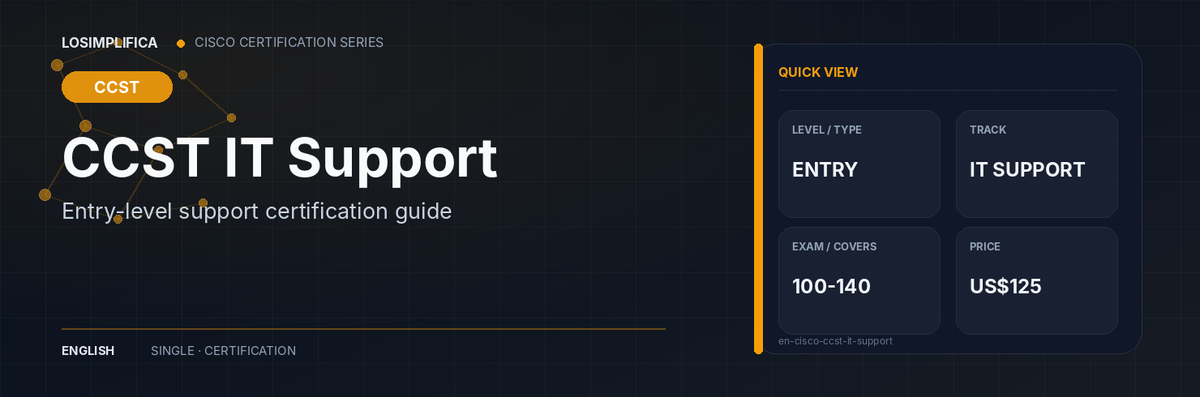
What is Cisco Certified Support Technician (CCST) IT Support?
CCST IT Support is Cisco's entry-level credential for people preparing to support users, endpoints, operating systems, applications, and common workplace devices. It is relevant to students, career changers, help-desk candidates, and junior technicians who need a repeatable method for turning “it does not work” into an evidence-based diagnosis.
The syllabus is broad because support work is broad. The key is not memorizing every menu in every operating system. It is learning how to gather symptoms, separate hardware from software and connectivity causes, test one theory at a time, and document the outcome clearly. Cisco lists no formal prerequisite.
Quick facts
| Field | Current official information |
|---|---|
| Level | Entry |
| Track | IT Support |
| Requirement | Pass one required exam |
| Primary exam | 100-140 CCST IT Support |
| Minimum exam fees | US$125; taxes and local currency treatment may vary |
| Primary exam duration | 50 minutes |
| Concentration exam duration | Not applicable |
| Official exam languages | English | Arabic | Chinese | Spanish | French | Japanese | Portuguese |
| Validity | Lifetime if earned before 2025-07-15; five years if earned on or after 2025-07-15 |
| Delivery | Secure proctored delivery, online or at a testing center |
| Formal prerequisites | None |
Our take
How to pick
Use this certification as an anchor only for an entry-level IT support path. It is a broadening choice, not the main anchor, for a networking path; learners targeting network operations should compare it with CCST Networking and the CCNA path guide.
What's new
- 2025-07-15 - CCST credentials earned on or after this date use a five-year recertification cycle; earlier CCST credentials remain lifetime credentials under Cisco policy.
Who it is for
It is a reasonable starting point for help-desk candidates, school or small-business support staff, and learners who need a structured introduction to computers before specializing in networking or cybersecurity.
It is not a substitute for broad networking preparation. A learner whose target is network administration should compare it with CCST Networking rather than choosing by price alone.
Why it may be worth considering
The credential can make a beginner study the full support process instead of memorizing disconnected hardware terms. That process orientation is useful because entry-level support work depends as much on clear questions, documentation, escalation, and safe handling as it does on recognizing components.
The certification should be evaluated against a specific role outcome, not as a generic signal of seniority. Choose CCST IT Support for general user support. Choose CCST Networking when the target work is primarily network connectivity, devices, and protocols.
Where this certification fits
For a beginner, the first comparison is the same-language entry and associate guide: CCST or CCNA?. CCST can be a foundation step, but it is not a mandatory gate before every associate exam.
Path position
| Foundation or previous step | Current certification | Common next step |
|---|---|---|
| Basic computer use and practice supporting common devices | CCST IT Support | An entry-level support role, CCST Networking, CCNA, or a role-specific technical path |
This is a common progression, not a mandatory prerequisite chain.
Exam overview and skills covered
The current exam is 100-140 CCST IT Support. Expect a mixture of endpoint, operating-system, hardware, connectivity, security, and support-process concepts.
The standard troubleshooting process
The exam expects a disciplined sequence. Use it until it becomes automatic:
- Identify the problem. Ask the user what changed, reproduce the issue where possible, and separate what happened from when it started.
- Establish a theory of probable cause. Start with the simplest plausible cause, then list alternatives instead of changing several things at once.
- Test the theory. Gather evidence that confirms or rejects the theory. If it fails, form a new one.
- Establish a plan and implement the solution. Consider risk, permissions, backups, and escalation before making the change.
- Verify full functionality and add prevention. Confirm the original problem is gone, check related functions, and reduce the chance of recurrence.
- Document findings, actions, and outcomes. Record symptoms, evidence, changes, results, and any follow-up in the ticket or knowledge base.
Troubleshooting focus by symptom
| User symptom | First comparison points | Useful evidence |
|---|---|---|
| Device will not power on | Power source, cable, battery, adapter, physical damage | LEDs, known-good power source, hardware diagnostics |
| Operating system is slow or unstable | Resource pressure, startup items, updates, storage, malware | Task manager, event logs, disk health, update history |
| Application fails | Permissions, version, dependency, profile, network requirement | Error message, application logs, reproduction steps |
| Cannot reach the network | Link, Wi-Fi association, IP address, gateway, DNS, policy | Interface status, IP configuration, ping, name-resolution test |
| Peripheral does not work | Cable or pairing, driver, permissions, power, compatibility | Device manager, system logs, known-good port or device |
| User cannot sign in | Identity, password state, MFA, account lockout, local versus cloud account | Authentication message, identity-system event, account status |
The purpose of the table is to create visual anchors. In a real ticket, several categories can overlap, so follow the evidence rather than forcing every symptom into one box.
Cost, duration, languages, and validity
The current recorded exam pricing is US$125; taxes and local currency treatment may vary. The primary exam duration is 50 minutes.
Cisco lists the credential validity as Lifetime if earned before 2025-07-15; five years if earned on or after 2025-07-15. The current recertification note for this level is: For five-year credentials: pass a current CCST exam, any current Associate exam, any current technology core or concentration exam, or a current CCDE/CCIE qualifying exam; CE credits do not apply.
Fees shown in U.S. dollars are planning figures. Taxes, local currency conversion, vouchers, Cisco Learning Credits, language availability, remote-proctoring eligibility, and appointment inventory can change by location. Verify the checkout and appointment screens before payment.
Recorded official exam languages: English | Arabic | Chinese | Spanish | French | Japanese | Portuguese.
How to register
- Create or confirm the Cisco account that will be used for the certification record. Use a stable personal email where possible.
- Complete the Certification Tracking System profile and make sure the legal name matches the identification that will be presented on exam day.
- Open the current official exam page from the sources below, confirm that the exam code and language are still active, and follow Cisco's authorized scheduling flow.
- Review delivery rules before paying. The recorded delivery method for this draft is: Secure proctored delivery, online or at a testing center.
- Save the appointment confirmation and recheck identification, system, rescheduling, and check-in requirements before the appointment.
How to prepare
A good preparation plan moves from the official blueprint to evidence of performance. Reading alone is not enough, and practice questions should be used to diagnose gaps rather than to memorize answer patterns.
- Start with the official exam topics. Turn every domain and sub-objective into a checklist. Mark each item as explain, demonstrate, troubleshoot, or compare.
- Build the minimum foundation first. Do not use exam-specific material to hide missing basics. Cisco Networking Academy, Skills for All, Cisco U., and the official learning resources can fill different gaps.
- Practice the work, not only the vocabulary. Build a repeatable intake checklist for a user-reported problem, including symptoms, recent changes, impact, and evidence. Practice identifying common computer components and explaining their purpose in plain language. Write short troubleshooting records that separate observations, tests, results, and next actions. Work through basic security scenarios such as suspicious links, unsafe downloads, lost devices, and account compromise.
- Use spaced review and error logs. Record why an answer, configuration, investigation, or design choice was wrong. Revisit the underlying concept before repeating the same question set.
- Run a final readiness review. Use the official blueprint to identify weak domains, then complete mixed practice and hands-on validation under realistic time constraints. No course or practice score guarantees a pass.
Official Cisco resources
- Official certification page: https://www.cisco.com/site/us/en/learn/training-certifications/certifications/support-technician/index.html
- Official exam and training page: https://www.cisco.com/site/us/en/learn/training-certifications/exams/ccst-it-support.html
- Current Cisco exams list: https://www.cisco.com/site/us/en/learn/training-certifications/exams/list.html
- Cisco certification catalog: https://www.cisco.com/site/us/en/learn/training-certifications/certifications/index.html
- Recertification policy: https://www.cisco.com/site/us/en/learn/training-certifications/certifications/recertification/index.html
- Cisco career certification map: https://www.cisco.com/c/dam/en_us/training-events/certifications/career-path.pdf?cachemode=refresh
This draft does not add marketplace or affiliate links. Add an external preparation resource only after a standalone review exists in the review registry for the same language.